You do not just lose time.You also lose your context.
Equilibrition connects your notes, resources, projects, tasks and calendar around your needs. A note can stay a note. Plan when it helps.
Private beta by invitation, practical methods and a direct line to the founder. Unsubscribe at any time.
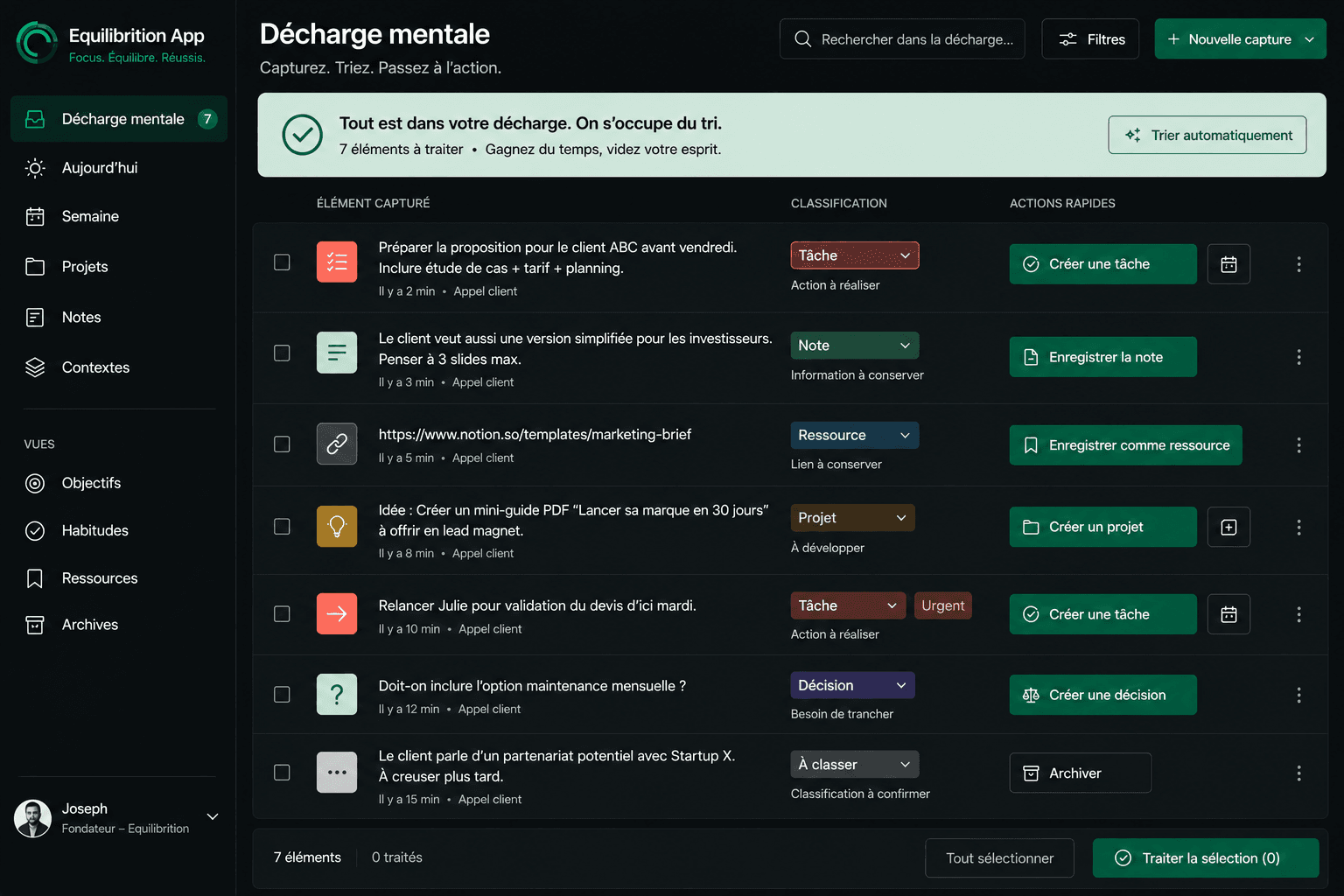
01 · Capture
An idea comes to you while driving.
You capture it in seconds.
You do not need to decide immediately whether it is a task, a note, or a new project.
Capture first. Decide later.
02 · Organize
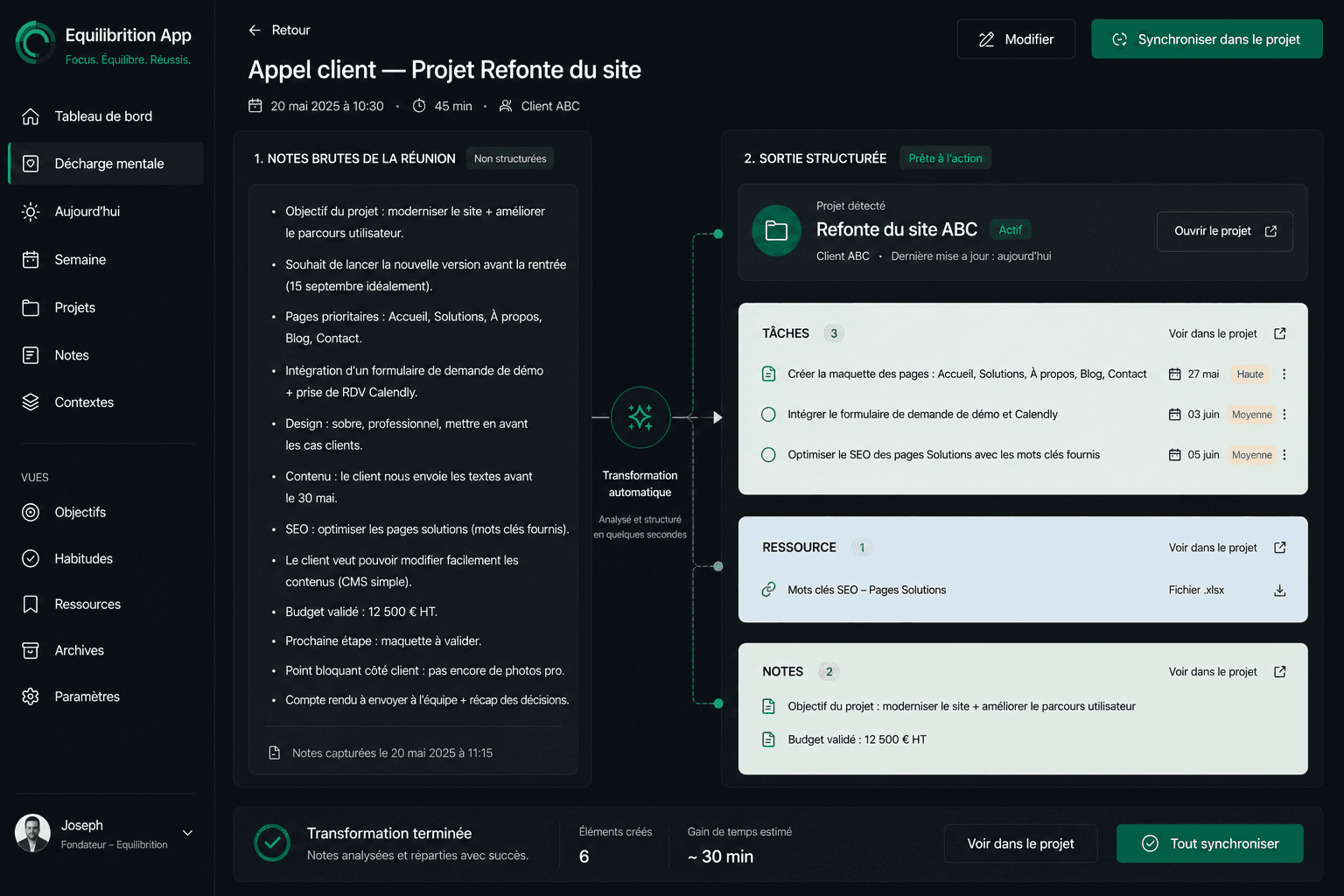
Your loose thoughts become something useful.
An idea can stay a note.
A request can become a task.
A topic can become a project.
You connect what is useful, without filling five different apps.
03 · Understand
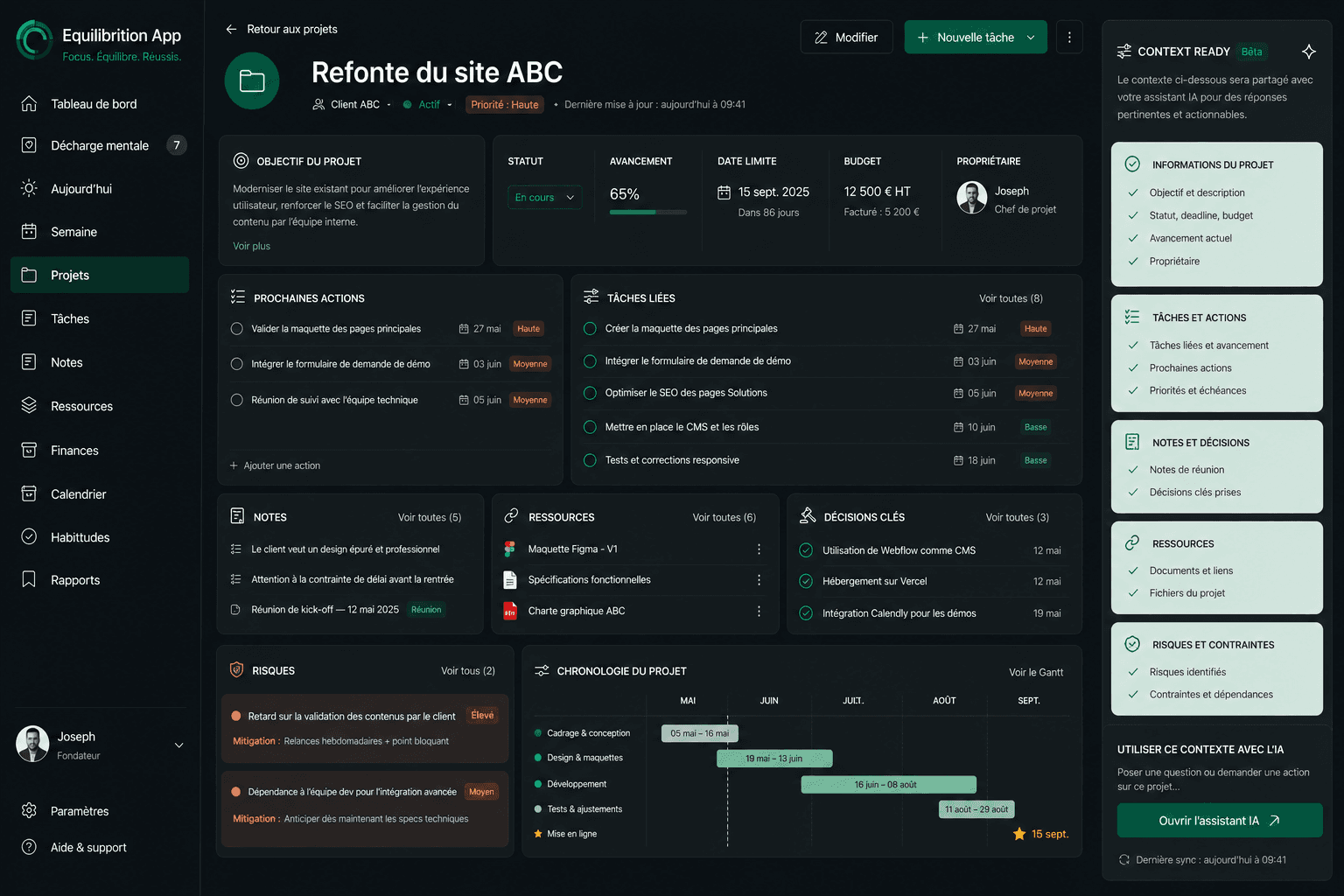
The task keeps its why.
“Redo the landing page” does not mean much three weeks later.
In Equilibrition, the task stays connected to the project, notes, and resources that give it meaning.
You pick up exactly where you left off.
04 · Plan
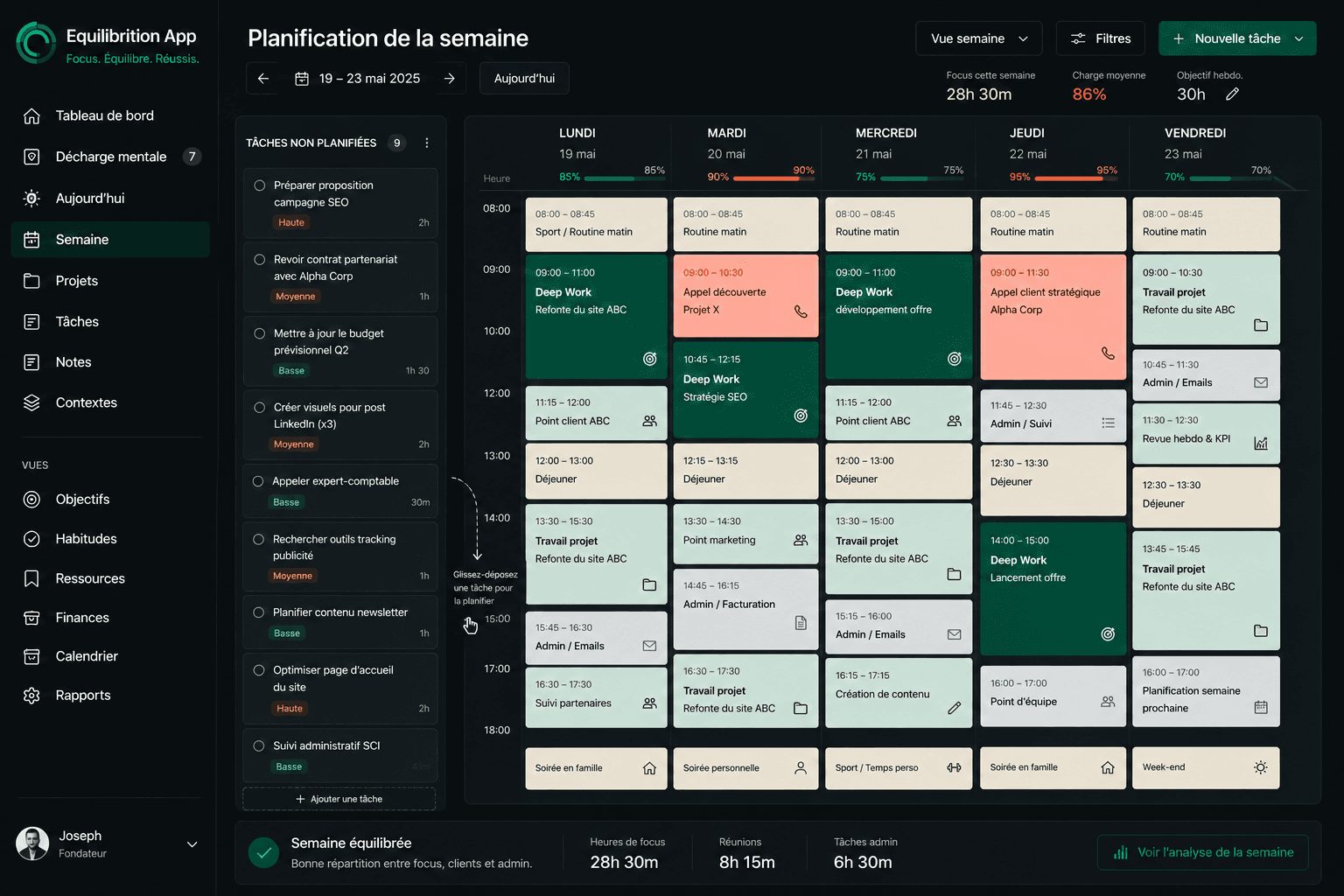
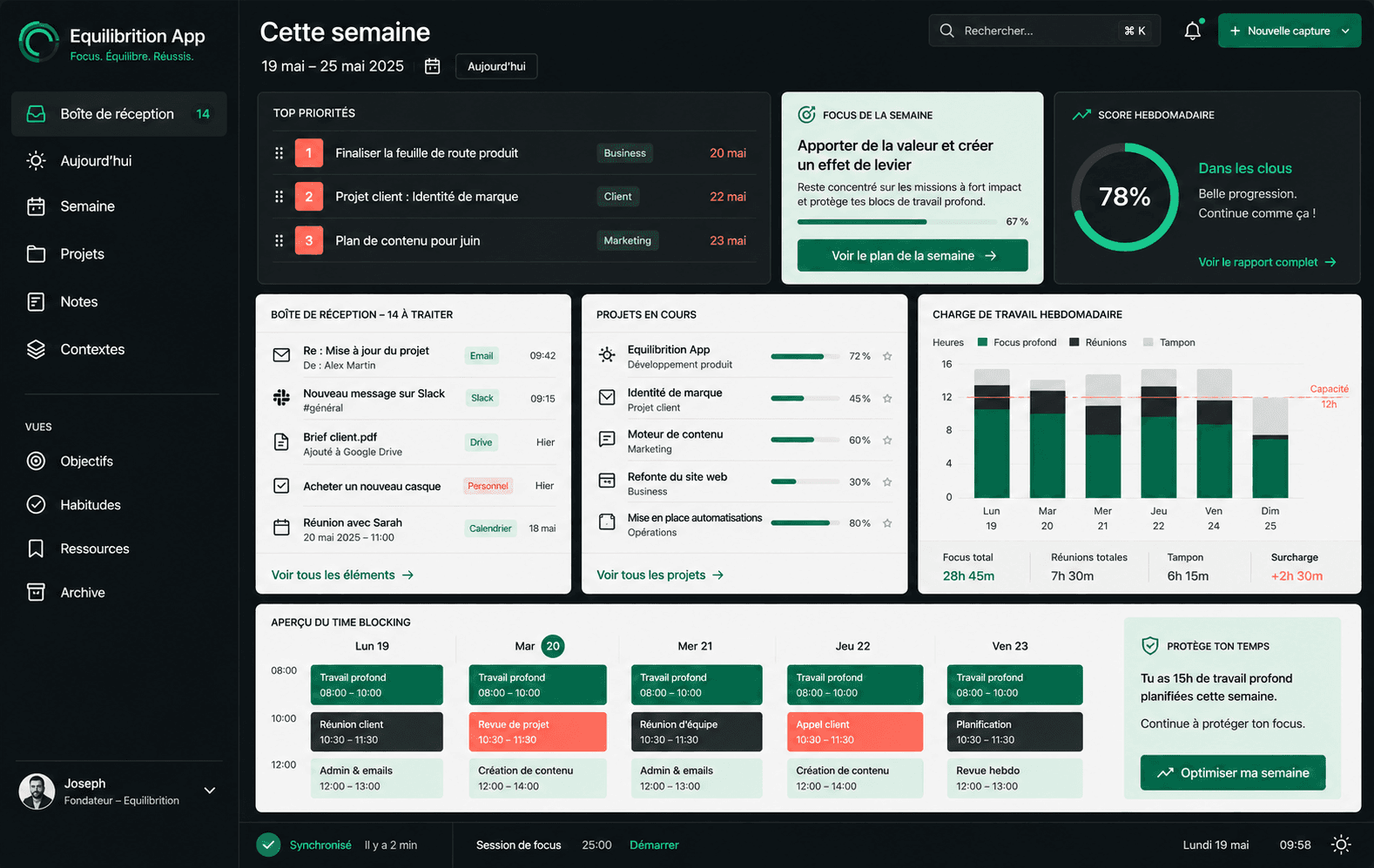
A list cannot tell you whether your week is realistic.
When useful, drag the important tasks into your calendar.
Equilibrition compares what you want to do with the time you actually have.
You see what fits. And what needs to wait.
05 · Share context
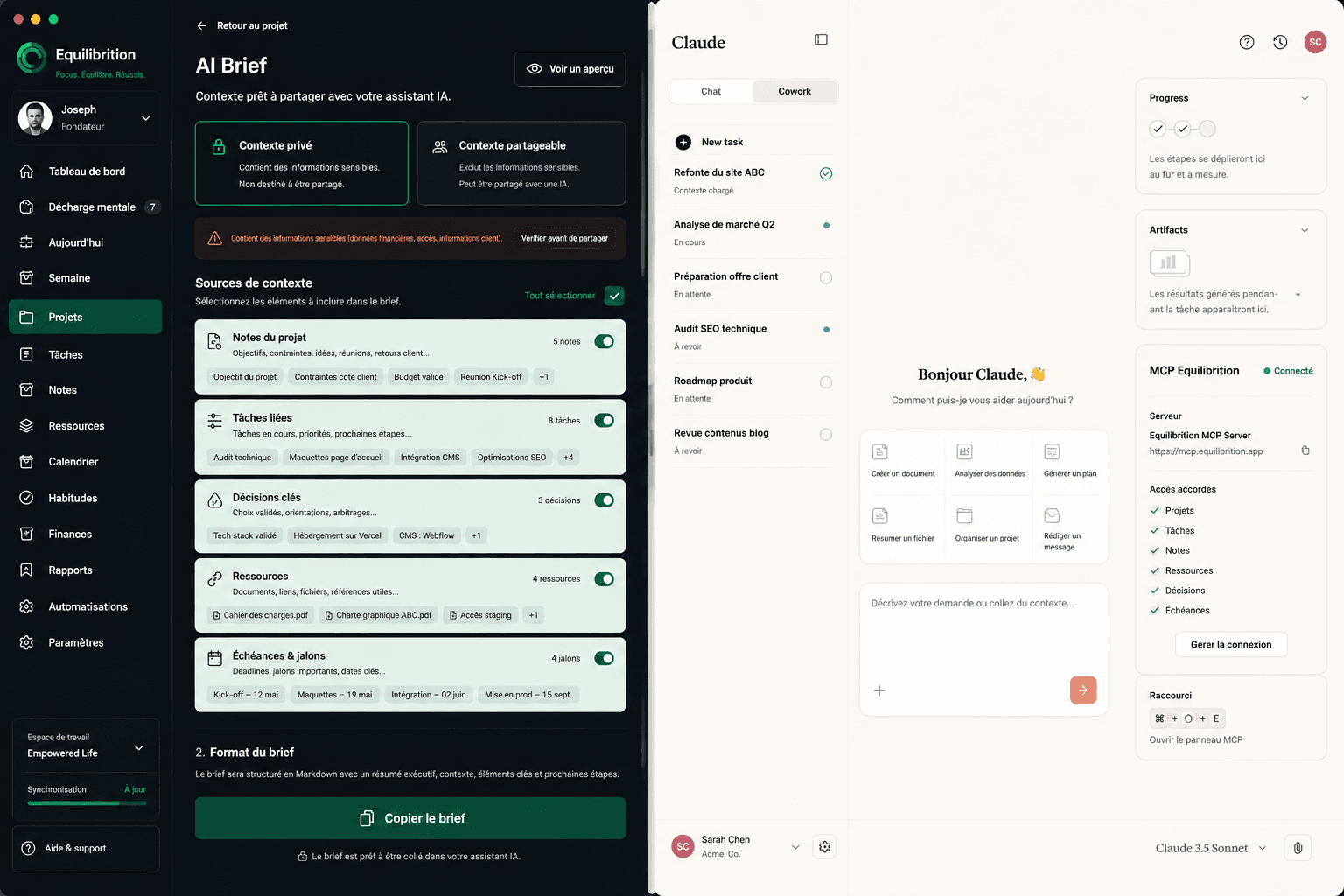
And your AI assistant finally sees what you see.
Your projects. Your tasks. Your notes. Your priorities. Your deadlines.
If you choose, connect Equilibrition to Claude, ChatGPT, or Codex. Share useful context without explaining everything again.
Your AI assistant is not short on intelligence. It is often short on context.
06 · Act
One continuous thread, from the idea to the time to make it happen.
Choose what fits your needs, without following a required sequence.
Equilibrition connects what other tools keep separate.

In preparation · Spaces
Spaces that fit your needs.
A client, a personal project, a topic to explore, or an activity. Groupings designed to follow your own reference points.
The aim: connect notes, resources, projects, and tasks around your needs, without fixed categories. Planned example: Work → Client Dupont → Marketing, with depth left to you.
Target illustration
Example · planned spaces
Client website rebuild
Ardent3 h plannedPlan the itinerary
TravelThursdayCompare two lenses
PhotoFridayPrepare the next session
Workshop2 h plannedNotes on lighting
Photono dateCollect places to visit
Travelno date
Your week by space
Example of planned time by space
- Ardent54%
- Travel21%
- Photo15%
- Workshop10%
Illustration in preparation, not a measurement of time spent.
What has already shipped
9 releases shipped in one month
The product is still being built, and it moves every week. Here are the last two product announcements.
9 September 2026
- Voice capture: you speak, it lands in your Inbox
- Timer: the time you planned, next to the time actually spent
- Rich notes: headings, lists, tables, and blocks you can move
- CSV import for your tasks, projects, notes and resources
18 September 2026
- AI connection: you pick the readable domains, you revoke at any time
- A 2D context map to pick the thread of a project back up
- Resources pinned to your home screen
- Categories and tags on notes and resources
- Link previews instead of a bare address
Google Calendar sync and the MCP connection to AI assistants are available.
Private circle
Try the private beta. Talk to its founder.
The private circle is where you receive invitations to the Equilibrition beta, try practical methods on your projects and talk directly with Joseph.
Join the private circle
Leave your email for beta invitations and practical methods. Signing up does not create an application account.
- Private beta access by invitation
- Practical methods to try on your projects
- A direct line to Joseph, the founder, by replying to the emails
A question, a need, some feedback? Reply directly to Joseph.
Frequently asked questions
The doubts you probably have.
What will I receive when I join the private circle?
Private beta invitations, practical methods for your projects and a direct line to Joseph, the founder. Reply to his emails with a question or a need. You can unsubscribe at any time.
Does signing up give me product access?
Private beta access is by invitation through the circle. Signing up lets you receive those invitations; it does not create an account or unlock the application immediately.
How will spaces work?
Spaces are in preparation. They will group notes, resources, projects and tasks by client, activity or topic, with multiple levels when needed. Life domains will remain one option, not a required structure.
How will I be guided when getting started?
Integrated conversational onboarding is in preparation: it will start from your needs, existing organisation and your own content. You will be able to correct, interrupt or skip this guidance. No external AI connection will be needed for this journey.
What if I already use Notion, Todoist or Google Calendar?
Equilibrition connects notes, resources, projects and actions around your needs, without turning everything into tasks or scheduled work. Google Calendar sync and the MCP connection to AI assistants are available, and using them remains optional. If your current setup works for you, you can simply follow the updates.
Private circle
Keep the thread of your projects. Take part in the private beta.
Join the private circle for beta invitations, practical methods and a direct conversation with Joseph, the founder.
Join the private circlePrivate beta by invitation, practical methods and a direct line to the founder. Unsubscribe at any time.